Track Codex Tokens with Absolute Numbers
OpenAI Codex tells you "70 % consumed." It does not tell you how many tokens that is. 70 % could be 300,000 tokens or 3,000,000 tokens. The difference matters when you are budgeting a multi-file refactor or comparing Codex against Claude Code on the same task.
This guide shows how to track Codex tokens with real numbers — input, output, and cost — not just percentages.
1. Why Codex Hides the Number
Codex's /status command shows subscription tier usage as a percentage. This is by design:
- It updates in real time
- It works across all models in your tier
- It requires no additional infrastructure
But it has hard limits:
- No absolute token count
- No input vs. output split
- No cross-session aggregation
- No tool comparison
2. Where Codex Writes the Real Data
Codex logs every interaction to local JSONL files:
~/.codex/sessions/**/*.jsonlEach event contains:
- model name, depending on your Codex version and config
- input tokens
- output tokens
- reasoning tokens (if applicable)
- timestamp
3. How to Read the Logs Manually
One event looks like this:
{
  "type": "event_msg",
  "payload": {
    "type": "token_count",
    "info": {
      "last_token_usage": {
        "input_tokens": 4523,
        "cached_input_tokens": 3200,
        "output_tokens": 891,
        "reasoning_output_tokens": 120,
        "total_tokens": 5534
      }
    }
  },
  "timestamp": "2026-05-20T10:30:00Z"
}
To get a daily total, you would:
- Find all
*.jsonlfiles under~/.codex/sessions/ - Parse each JSON line
- Sum input_tokens and output_tokens by date
- Multiply by the model's per-token cost
This is tedious. A token tracker automates it.
4. What TokenBBQ Shows You
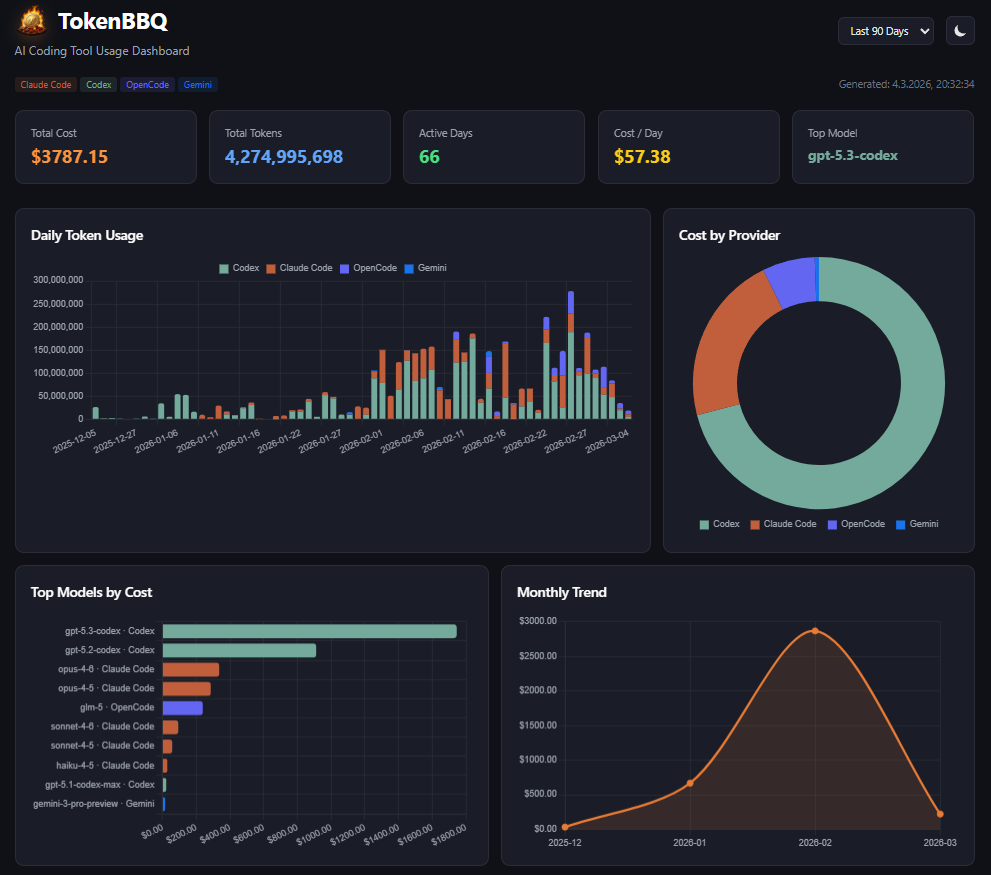
TokenBBQ reads Codex's session JSONL files automatically and serves:
- Absolute daily token totals (input + output)
- Cost in USD (fetched from LiteLLM pricing)
- Cross-session aggregation (all Codex sessions combined)
- Multi-tool comparison (Codex vs. Claude vs. Gemini)
- Live dashboard at localhost:3000
5. Codex vs. Claude Code: Token Profiles
- Codex records token-count snapshots in local session JSONL files
- Codex can chain multiple tool calls, so long agent runs may accumulate usage quickly
- Codex exposes controls such as
--model,--ask-for-approval, and--sandbox - Claude Code records usage in its own project JSONL logs, including cache read/write fields when available
- TokenBBQ normalizes both tools into one daily, model, and project view
6. Quick Start
npx tokenbbq@latestNo install. No config. No API key. Dashboard opens in browser.
7. Related Guides
- How to Track OpenAI Codex Token Usage — the full guide with dashboard setup and Pill overview.
- AI Token Tracker — Compare All Major Coding Tools — multi-tool comparison in one dashboard.
- How to Track Claude Code Token Usage — the Anthropic side with window tracking.
- Track AI Token Usage Per Project — split costs across repositories.